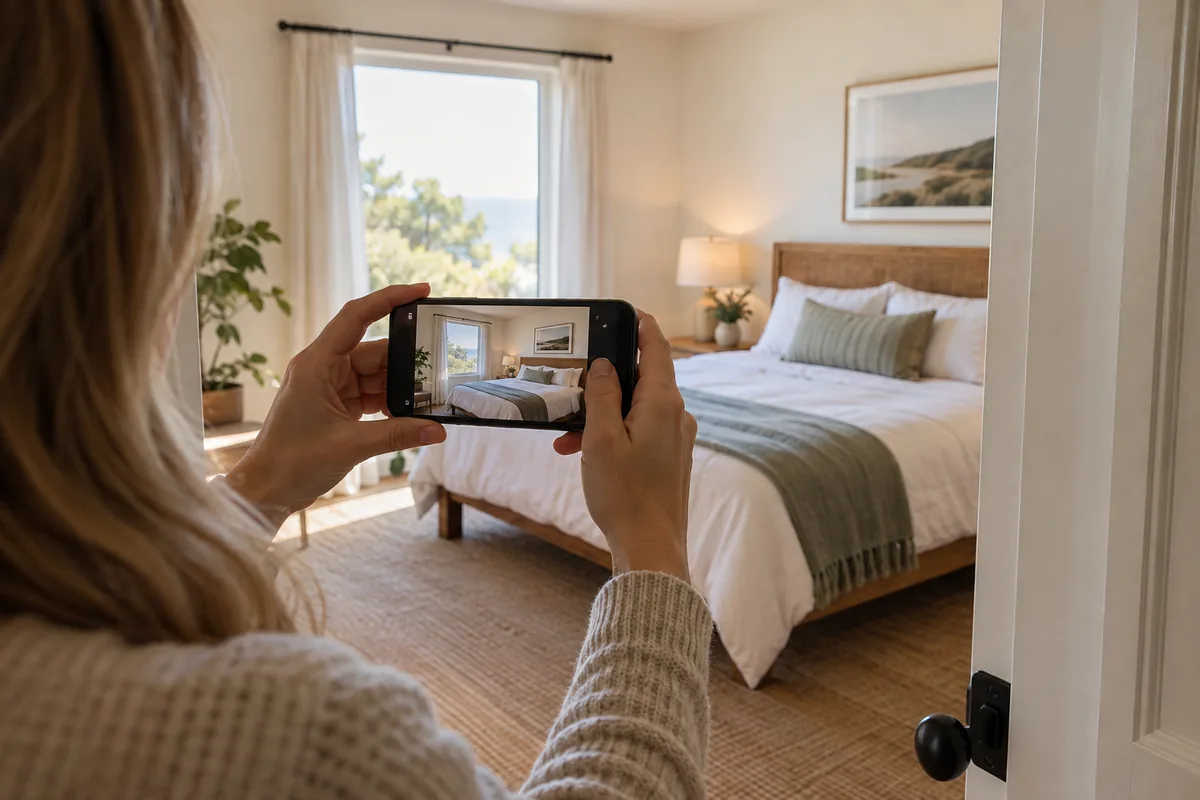
Phone capture is enough when the frame already tells the truth
Most Airbnb galleries start on a phone. That is fine when the camera height, angle, and timing already explain the room. Professional-looking listing photos are less about buying a new body and more about clean capture, consistent finishing, and rejecting frames that invent a better property than the guest will find.
ListPik is built for that workflow: lighting, white balance, clarity, mild perspective, and restrained exterior finishing, with the original kept beside the result. It will not renovate the unit for you—and it should not.
- Use the main camera, not digital zoom
- Keep full-resolution originals out of messaging apps
- Shoot landscape for search and cover candidates
- Finish only frames that already contain the right information
Capture tips that survive enhancement
Walk the stay the way a guest will. Open window coverings, clear turnover clutter, confirm the advertised bed setup, and photograph every bookable space plus the amenities that drive filters. Hold the phone level around waist to chest height, step back instead of tilting up, and prefer daylight over a mix of orange lamps and blue windows.
Take one establishing frame per room and a second only when it proves layout, a view, or an amenity the first frame cannot show. Leave a little margin at the edges so mild perspective correction has room to crop.
- Daylight first; kill strongly colored bulbs when possible
- Clean the lens; wipe mirrors and glossy counters
- One wide room explanation before decorative details
- Exterior or arrival context when the building story matters
- Save HEIC/JPEG originals before any social re-export
The failures enhancement cannot honestly fix
Dark rooms with empty black shadows, windows blown to pure white, crooked compositions that cut off beds or doors, and soft motion blur are capture failures. Aggressive reconstruction may look louder in a thumbnail and still fail a side-by-side review.
Orange interiors from mixed lighting are often recoverable if highlight and shadow detail remain. Crooked verticals are often recoverable if you leave crop margin. Missing amenities, wrong rooms, and misleading crops are not recovery problems—they are reshoot or copy problems.
- Pure black or pure white with no edge detail → reshoot
- Blur from movement → reshoot
- Wrong angle that hides circulation → reshoot
- Mixed color with retained detail → enhance and review
- Mild lean with margin → straighten carefully
Fix versus reshoot: a fast decision rule
Ask one question: does this file already contain the room's facts? If yes, finish it. If no, schedule a new frame before you spend credits. A hybrid set is normal—keep durable hero angles, replace only the weak ones after the next turnover.
When the listing economics support it, commission a photographer for the flagship set and use phone-plus-enhancement for accurate refreshes between shoots. See the AI-versus-photographer notes under Field notes and Comparisons.
- Useful angle, weak light → enhance
- Useful angle, wrong color → enhance
- Wrong place or time → reshoot
- Empty room needing furniture visualization → labeled virtual staging, not enhancement
A review-first finishing workflow
Upload the full-resolution original, choose an interior or exterior direction, and inspect architecture, materials, views, and condition before download. Reject any result that stretches the room, invents sky drama the stay does not have, or cleans away real defects a guest will notice.
Work the gallery in booking order: cover candidate, main living space, primary sleep space, setting, defining amenity, then the remaining rooms. Consistency across the set matters more than making every frame maximally bright. For upscaling soft phone files, lighting correction, host-specific guidance, and the Airbnb gallery path, use /features/photo-upscaling, /for/airbnb-hosts, /platforms/airbnb-photo-editor, and /pricing.
- One credit per completed photo; packs 10/$12, 30/$30, 75/$68
- Compare original and result at full size, then at thumbnail size
- Match white balance across adjacent rooms
- Stop when the photograph is clear—not when it looks like a different unit
Publish checklist for phone-built Airbnb galleries
Before you hit publish, confirm the set still answers guest questions without padding. The smallest complete gallery beats a long scroll of near-duplicates.
- Cover remains legible at search-thumbnail size
- Every bookable room appears at least once
- Amenity claims have contextual proof
- Verticals feel stable; color feels natural across the set
- No frame invents finishes, views, or equipment
- Originals archived; edge cases sent to /contact if needed
Common questions
Phone workflows fail more often from weak capture than from weak software. These answers keep the boundary clear.
- Can phone photos look professional on Airbnb? Yes, when angle and content are already right and finishing stays documentary.
- Should I shoot vertical for mobile guests? Prefer landscape for cover and search; vertical detail shots rarely carry the open.
- Do I need to upscale every photo? Only soft or small sources—start at /features/photo-upscaling and keep a truth review.
- When is virtual staging appropriate? Empty rooms that need scale explained, with a label by default—not as a substitute for lighting correction.
- How much does ListPik cost for a phone gallery? One-time packs from $1.20 down to about $0.91 per finished photo; confirm /pricing.
- What if one room still looks wrong after enhancement? Reshoot that room; do not keep spending credits on a file that lacks the facts.
Guides that pick up where this leaves off
- Living room photo enhancement
The widest room takes the widest lens, and the near-corner furniture pays for it.
- Bedroom photo enhancement
Why a bedside lamp and a window in the same frame turn cream bedding beige.
- For Airbnb hosts
Which five photos carry the booking, and how to refresh a gallery without a reshoot.
- Free listing photo checker
Find out in seconds whether a phone photo is big enough, too dark, or tinted orange.
Related questions
Can phone photos look professional on Airbnb?+
Yes, when angle and content are already right and finishing stays documentary. ListPik corrects light, color, clarity, and mild perspective while keeping the original beside the result.
Should I shoot vertical for mobile guests?+
Prefer landscape for cover and search; vertical detail shots rarely carry the open. Compose for thumbnail legibility first.
Do I need to upscale every photo?+
Only soft or small sources—start at /features/photo-upscaling and keep a truth review. Do not invent detail compression already discarded.
When is virtual staging appropriate?+
Empty rooms that need scale explained, with a virtually-staged label by default—not as a substitute for lighting correction. Staging is a separate one-credit job.
How much does ListPik cost for a phone gallery?+
One-time packs from $1.20 down to about $0.91 per finished photo, with no required subscription and unused credits that do not expire. Confirm /pricing.
What if one room still looks wrong after enhancement?+
Reshoot that room; do not keep spending credits on a file that lacks the facts. Enhancement cannot invent a better angle or missing amenity.
Property advertising rules vary. Review every enhanced image against the original and disclose material or generated changes wherever required.
Ready when the source is
Turn the useful photos into a consistent listing set.
Start with three included credits. Keep the result only after it holds up beside the original.